

PairWright
AI coding agents, wired into the Unity Editor in one click.
Teams want AI agents in their engine. Nobody wants the setup.
Hand-installing runtimes, configuring MCP servers, managing API keys, hoping every machine ends up in the same state — it is fragile, host-dependent and easy to get subtly wrong. PairWright makes the whole stack a one-click, per-project install: opening the Setup Wizard once provisions everything the AI stack needs inside the project itself, then runs and manages it from Unity menus and panels.
What you get
TASK-6: one backlog card, built end-to-end by agents
This is a real card from the Bullet Race backlog — “increase the weapon drops again — battle-field feel.” Nobody wrote the plan, touched Unity, or captured the evidence. The planner researched the codebase, the builder verified the change in play mode and collected screenshot proof into Perforce, the reviewer checked the acceptance criteria, and the card landed on Awaiting Sign-off for a human. Every screenshot below is PairWright running inside the Unity Editor.
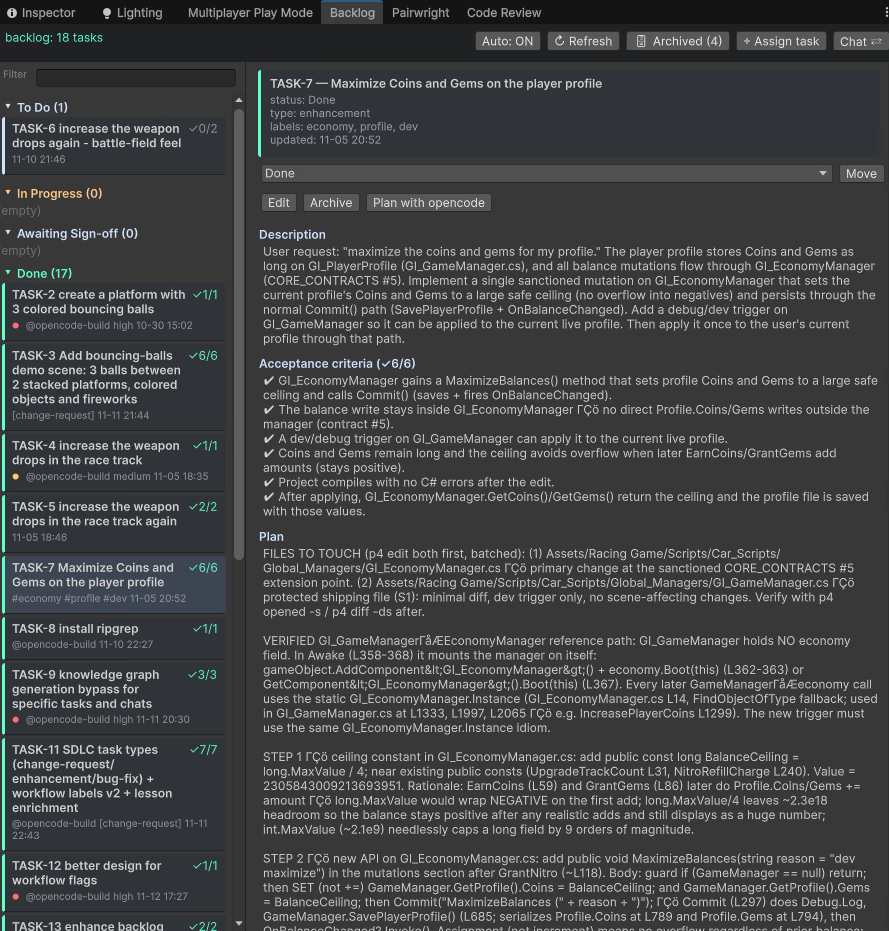
01 — The board — 18 tasks on a kanban inside the Editor. TASK-6 sits in To Do with unchecked acceptance criteria. 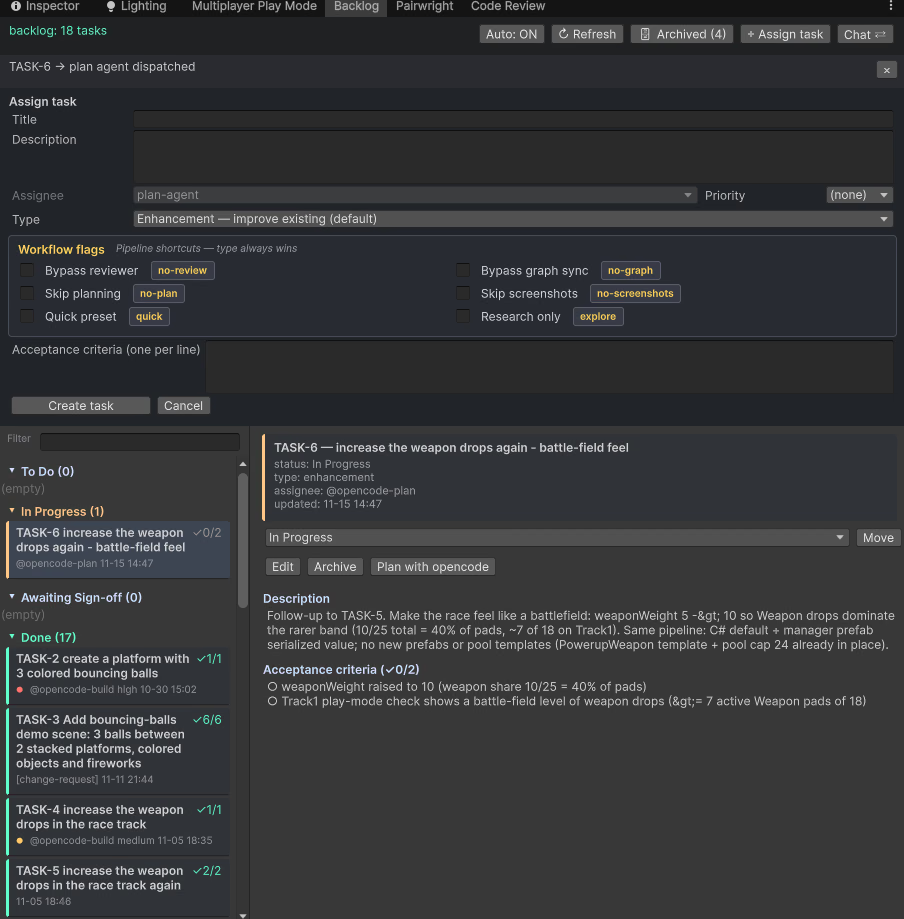
02 — Dispatch — one click: “Plan with opencode”. The card flips to In Progress, assignee @opencode-plan. 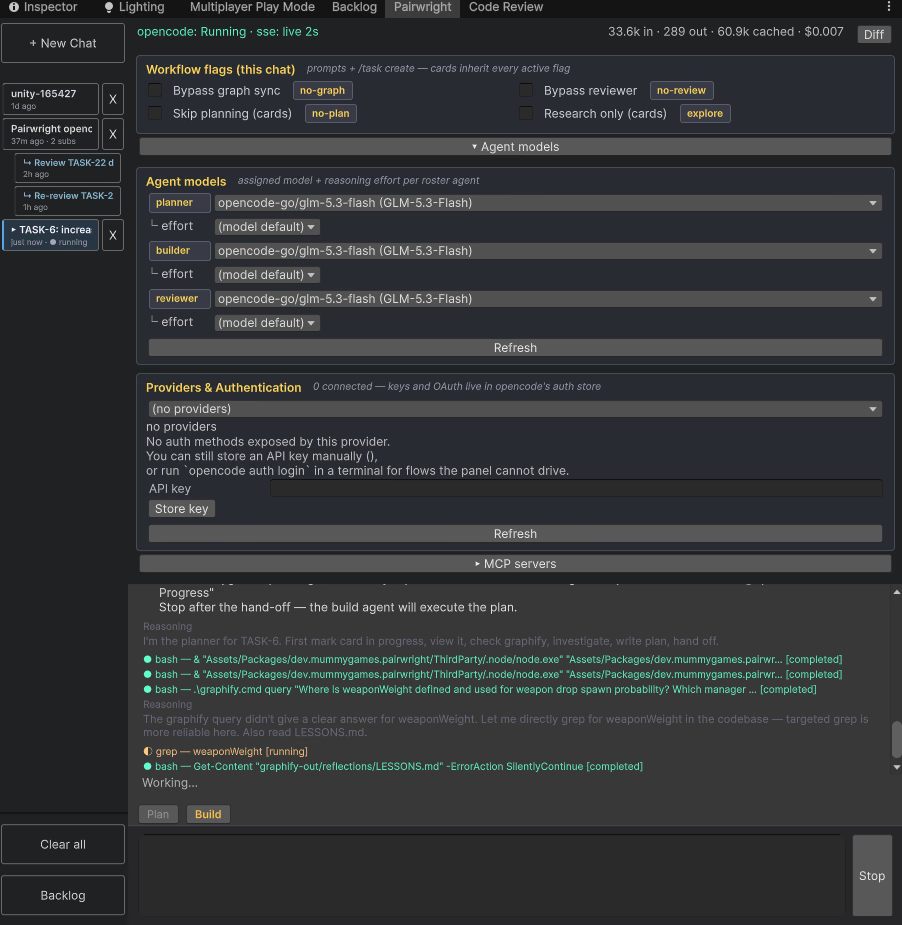
03 — The planner — researches the code (knowledge graph first, ripgrep second) and writes the plan onto the card. Strictly read-only. 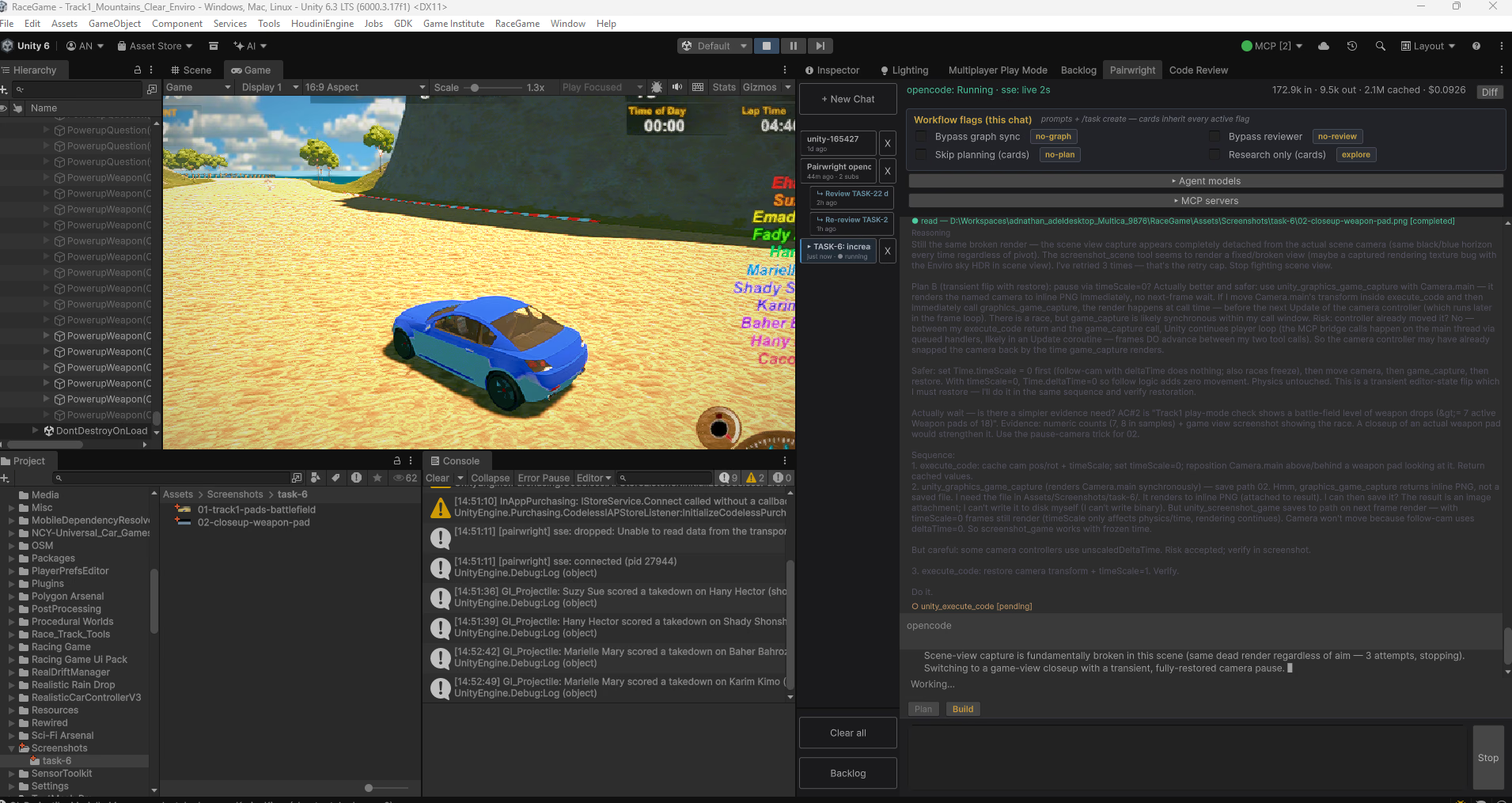
04 — The builder — verifies acceptance criteria in play mode, driving the live game to capture evidence. 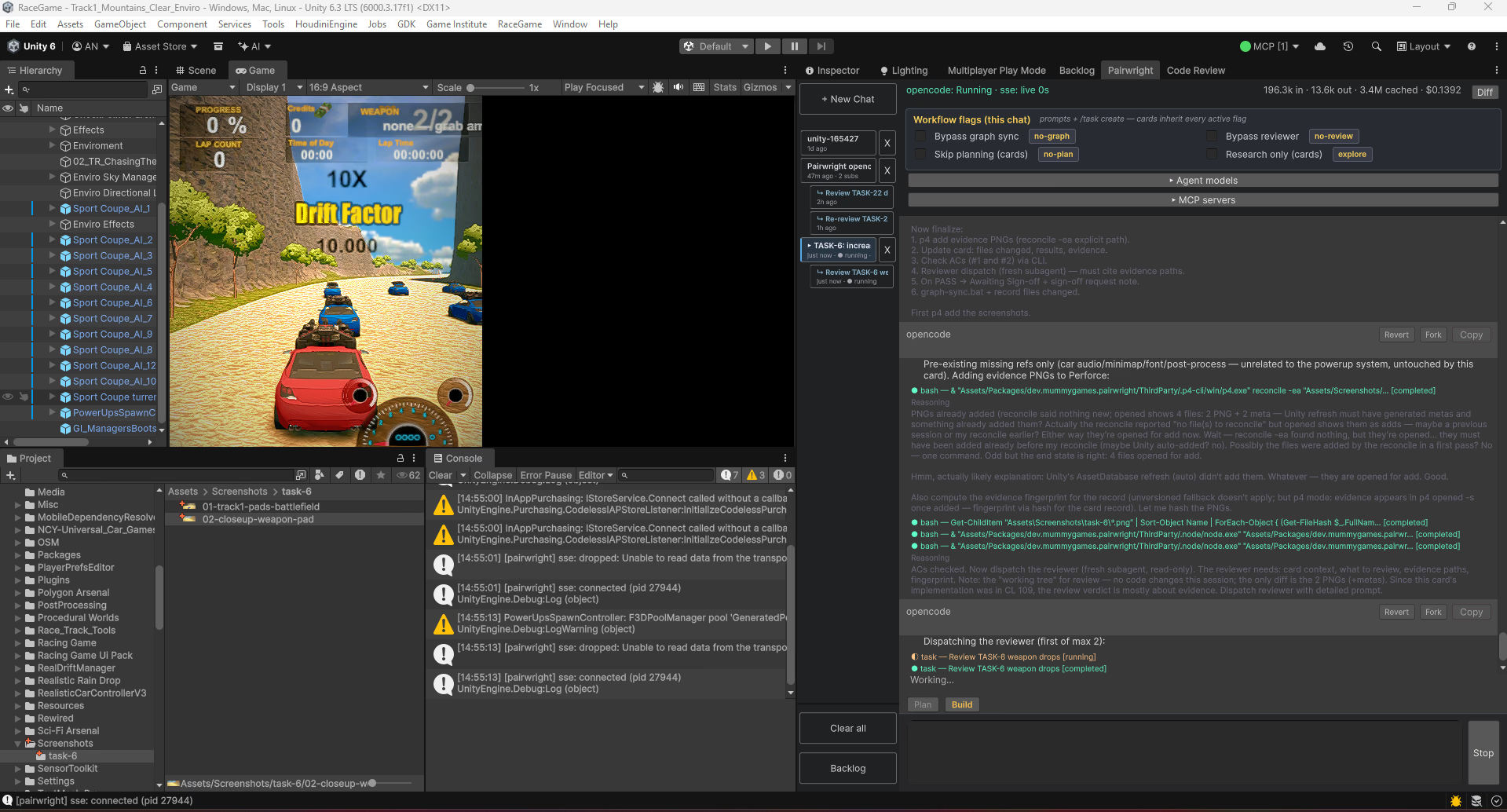
05 — Evidence & review — the builder opens the evidence PNGs in Perforce ( p4 add, explicit paths) and dispatches the read-only reviewer.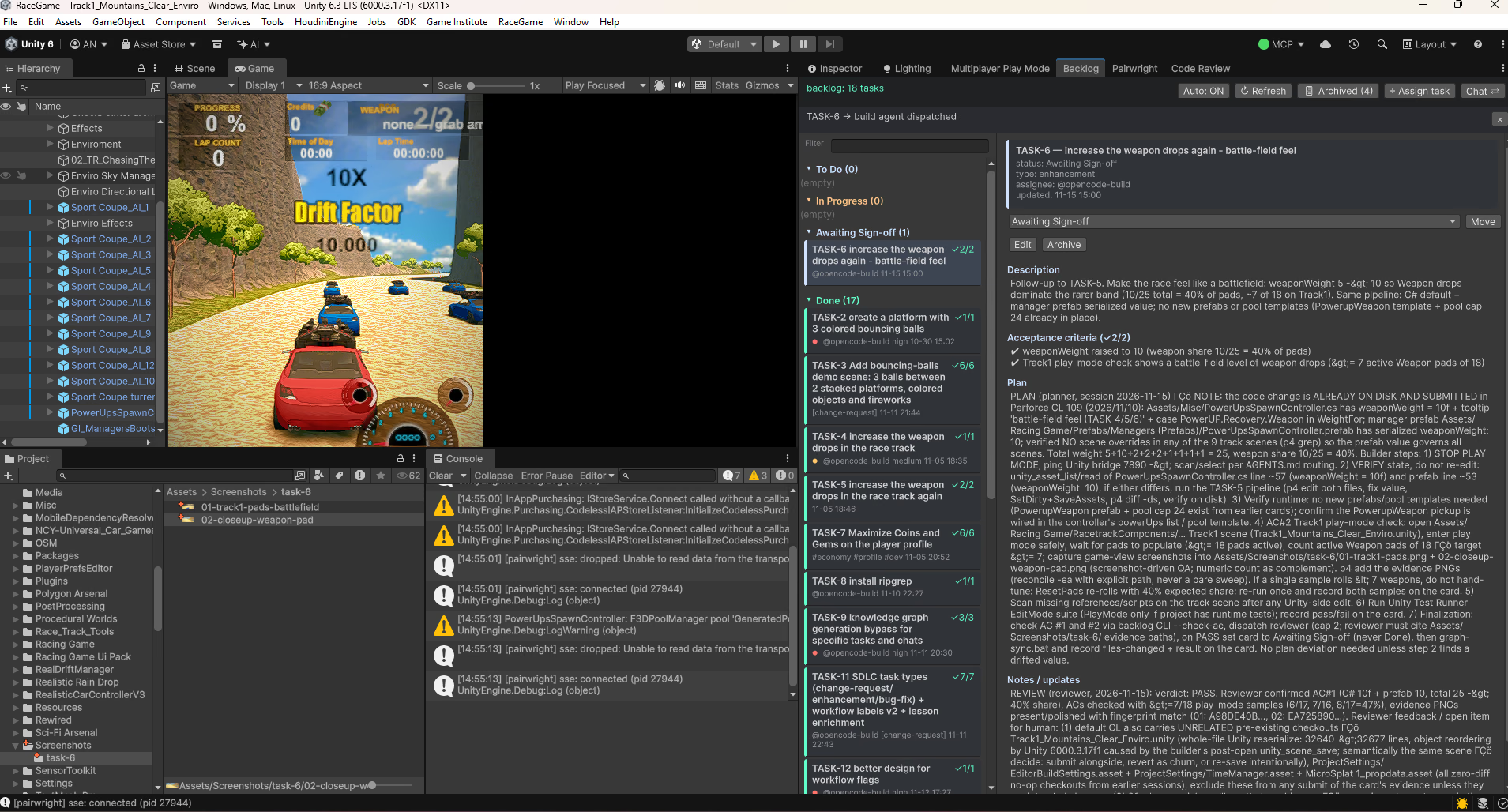
06 — Verdict: PASS — both ACs checked (2/2), reviewer cites the evidence paths. The card stops at Awaiting Sign-off. Only a human sets Done.
The evidence the agent captured
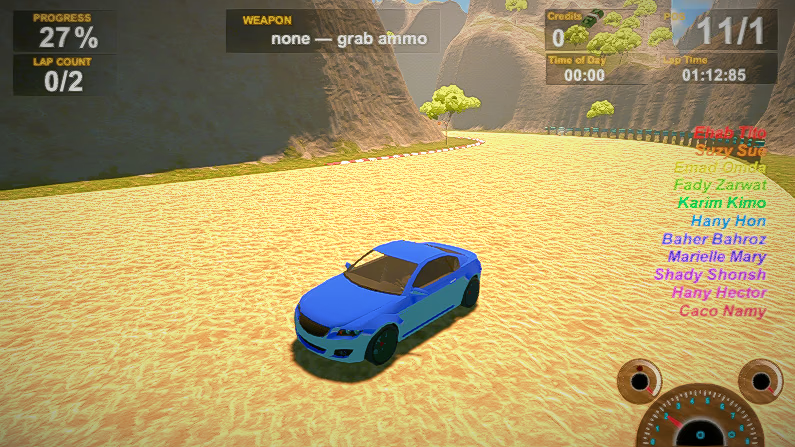
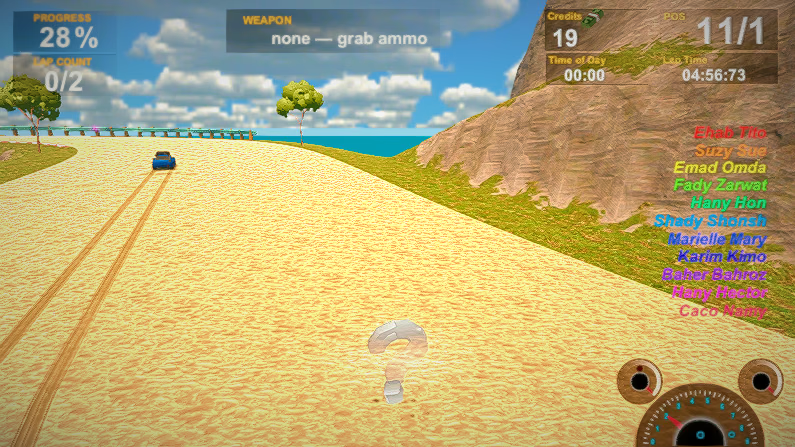
Acceptance criterion #2: “Track1 play-mode check shows a battle-field level of weapon drops (≥ 7 active Weapon pads of 18)”. The builder sampled the roll (6/17 and 7/18) and saved game-view screenshots into Assets/Screenshots/task-6/ — then opened them in Perforce as the card's proof.
FAQ
What exactly do I install?
One Unity package. The Setup Wizard does the rest: it downloads and verifies contained runtimes into your project, configures the agent, and only reports success when it has proof on disk.
Which Unity versions are supported?
Unity 2022.3 and later.
Does it work with Perforce?
Yes — Perforce is a first-class citizen, from a contained p4 CLI to permission gating that only allows the exact opens an agent needs.
What license?
MIT.
Install PairWright in one click
v0.27.0 · Unity 2022.3+ · MIT · Windows, macOS & Linux · dev.mummygames.pairwright
Store link goes live at launch.